

















Table of Contents
- • Elby Review Summary
- • About Elby
- • Other opinions about Elby
- • Overview of Elby
- • Elby Review
- • Elby CloneBD Review
- • Elby CloneDVD Review
- • Elby Virtual CloneDrive Review
- • Elby Pros & Cons
- • Elby Return Policy
- • Elby Shipping Policy
- • Contact Elby Support
- • Where to buy Elby?
- • Conclusion of Elby reviews & ratings
Elby Review Summary
Elby is a Swiss software developer known for its specialized applications in DVD and Blu-ray copying and virtual drive emulation. It generally serves Windows users with practical tools that support unprotected media backups and virtual mounting. The software tends to perform reliably with hardware acceleration and multi-language capabilities but remains limited to unprotected discs and the Windows platform.
Highlights
- Suitable for users backing up unprotected DVDs and Blu-rays on Windows
- Covers DVD copy, Blu-ray copy, and virtual drive emulation software needs
- Limited by lack of DRM support and Windows-only compatibility
- Solid functionality and usability, rated 8.3/10
Within the niche of media backup software, Elby provides focused solutions that may not fit users requiring support for protected discs or alternative operating systems. Other options exist for different platforms or DRM removal. This summary is based on an evaluation of the company’s software and can be found in more detail at Elby review.
About Elby
Backing up physical media like DVDs and Blu-rays remains important for users who want to protect their content from damage or loss. Many also require convenient access to their media without relying on physical discs. However, challenges exist around device compatibility and software ease of use for these purposes.
Elby develops specialized software tools for copying unprotected DVDs and Blu-rays and emulating virtual drives on Windows systems. Positioned within software focused on media backup and disk emulation, it offers solutions that simplify digital media management for home users and enthusiasts.
With over 10 million downloads of its Virtual CloneDrive and nearly three decades in operation, Elby has established a solid presence in its niche. Products like CloneDVD and CloneBD benefit from hardware acceleration and multi-language support, enhancing both performance and accessibility. Its software frequently receives positive feedback for usability and reliability.
The purpose of Elby's offerings is to provide efficient disc backup and virtual mounting primarily to Windows users. While it supports a wide range of unprotected disc formats, users should note it does not support copy-protected media. Those interested can find detailed information in the Elby review to help assess fit and functionality.
Overview of Elby
Elby is a Swiss software company specializing in DVD and Blu-ray copying and virtual drive emulation software. Founded in 1998, it operates in the software development industry with a focus on media backup tools. Its primary role is to provide solutions for copying unprotected optical media and mounting disc image files virtually.
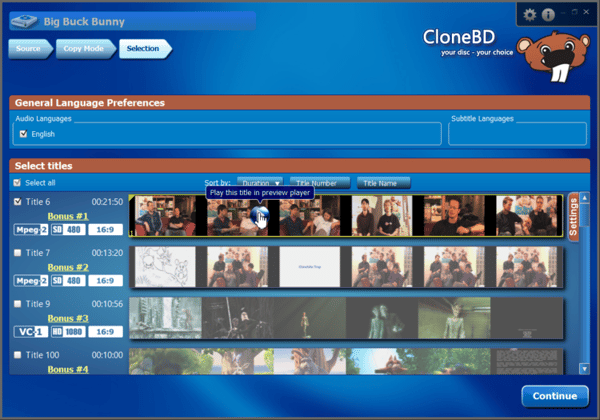
The company's operations include the development and maintenance of software products like CloneBD, CloneDVD™, and Virtual CloneDrive. These products are distributed primarily through direct online downloads and are designed for Windows operating systems. Elby targets consumers and home entertainment users requiring disc backup or virtual drive functionality, offering both free and paid licensing models across multiple languages for an international market.
Elby has operated continuously for over 28 years, achieving milestones such as over 10 million downloads of Virtual CloneDrive and regular software updates planned through 2025. It supports hardware acceleration, multi-core CPU use, and integrates tools like a UDF 2.50 parser. The product suite maintains a niche position focused on unprotected disc copying without DRM circumvention and is recognized for sustaining broad format compatibility within Windows environments.
Elby Review
Elby, formally known as Elaborate Bytes AG, is a Swiss software company established in 1998. It focuses on developing tools for DVD and Blu-ray copying as well as virtual drive emulation for Windows users. The brand is known for providing solutions aimed at backing up unprotected media and mounting virtual discs efficiently.
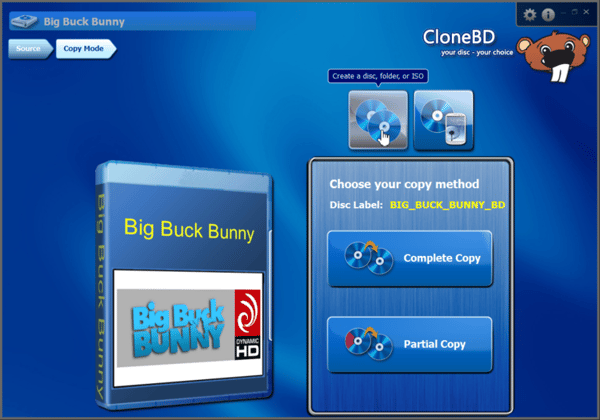
The product range includes CloneBD, CloneDVD, and Virtual CloneDrive, which offer features like hardware acceleration, multi-language support, and smooth Windows integration. Elby positions itself as a specialist provider of media backup and emulation software that caters to a technical yet user-friendly experience.
Elby Highlights- Unprotected DVD and Blu-ray copying support
- Virtual drive emulation with up to 15 drives
- Hardware acceleration and multi-core CPU compatibility
- Multi-language interfaces
- Freeware option available for virtual drive software
Elby CloneBD Review
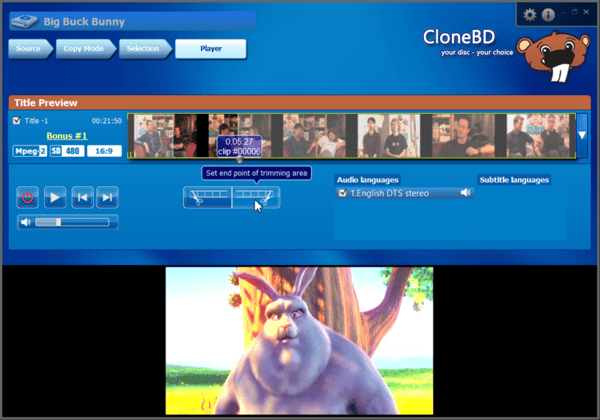
Elby CloneBD is software designed for backing up and converting unprotected Blu-ray discs. It falls into the category of Blu-ray copy software, catering to users who need to create digital copies or backups of their discs. Key attributes include the ability to copy full discs or select specific titles, audio, and subtitles.
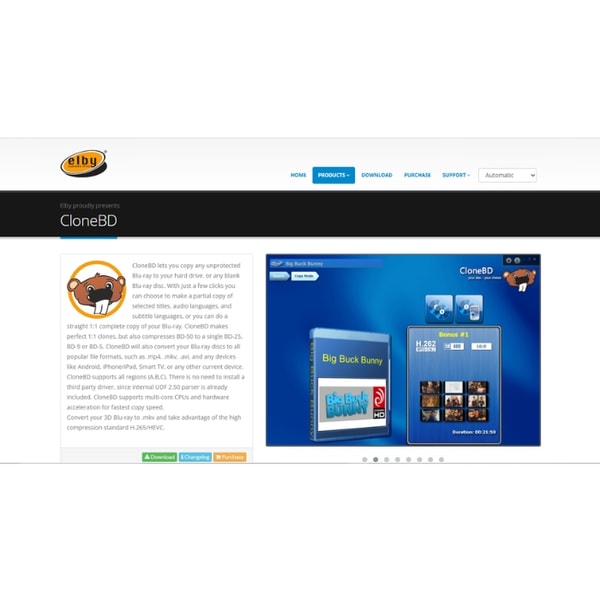
The software supports compression and format conversion to popular file types such as mp4 and mkv. It leverages hardware acceleration for efficient processing and includes an integrated UDF 2.50 parser that operates without third-party drivers. CloneBD targets users seeking reliable disc copying and conversion functionality.
Elby CloneBD is suited for Blu-ray owners looking for a practical solution to back up and convert their discs on Windows systems. It is available as a digital download directly from the official Elby website, making it accessible for a global audience. The software supports typical use cases such as creating digital backups and format conversion.
Check Price • elby.ch
Elby CloneDVD Review
Elby CloneDVD is a software tool designed for creating backups of unprotected DVDs. It falls within the DVD copy software category, offering both full and partial disc copying capabilities. The software includes a visual quality bar and a Filmstrip assistant to help users configure their backups with ease.
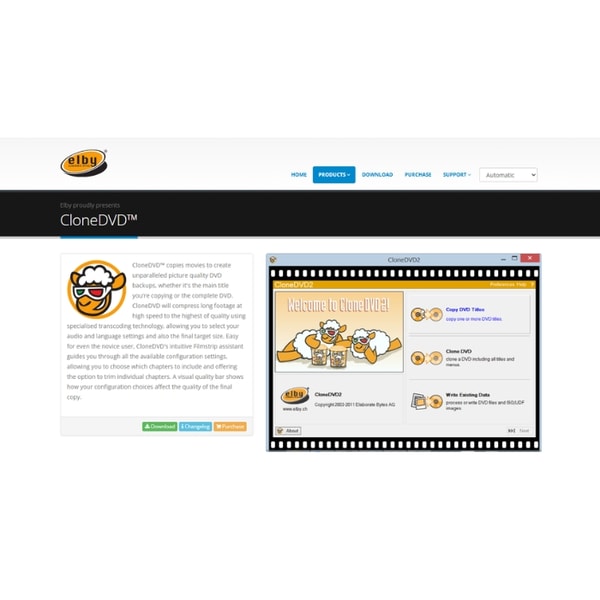
Its functionality supports hardware-accelerated transcoding and compatibility with multiple DVD media formats. The interface is user-friendly, making it suitable for users who prefer straightforward DVD backup solutions without complex settings.
Elby CloneDVD targets users looking for simple DVD backup options on Windows systems. It is distributed as a digital download exclusively through the official Elby website, providing convenient access for international users. The software is practical for home entertainment and backup purposes where copy protection is not a concern.
Check Price • elby.ch
Elby Virtual CloneDrive Review
Elby Virtual CloneDrive is a software utility that simulates physical CD, DVD, or Blu-ray drives to allow mounting of disc image files. It is designed to support various formats such as ISO, BIN, and IMG, providing virtual drive functionality for Windows users. The software is positioned in the category of virtual drive emulators.
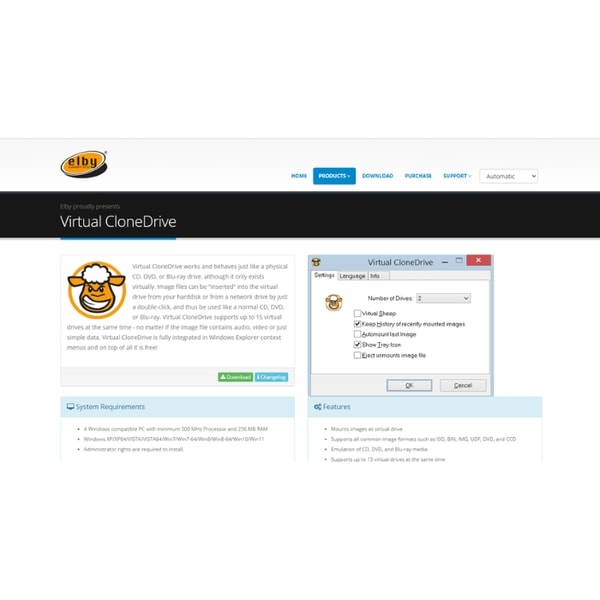
The product supports up to 15 virtual drives simultaneously and integrates seamlessly with Windows Explorer to facilitate easy access and management of mounted images. This functionality enables users to work with virtual discs without requiring physical media. Virtual CloneDrive has been widely adopted, with over 10 million downloads.
Intended for users needing virtual disc capabilities, it is compatible with multiple Windows versions and available as freeware. The software is directly downloadable from Elby's official website, ensuring easy access for a global audience. This makes it suitable for home entertainment and digital media applications where physical drives may not be practical.
Check Price • elby.ch
Elby Pros & Cons
Elby software provides robust support for multiple disc formats including DVD, Blu-ray, and virtual drives, with hardware acceleration enhancing processing speed. The inclusion of user guidance tools and integration into Windows Explorer improves usability, while regular updates since 1998 ensure ongoing compatibility and feature improvements.
However, the software is limited to copying only unprotected discs and does not support macOS or Linux platforms, restricting its user base. Additionally, the free version of CloneBD applies a watermark, which may affect output quality for some users.
- • Supports multiple disc formats
- • Hardware acceleration for faster processing
- • Freeware option for virtual drive emulation
- • Multi-language support
- • User guidance tools included
- • Integration with Windows Explorer
- • Regular software updates since 1998
- • Limited to unprotected discs
- • Windows OS only
- • Watermark added in free CloneBD version
Elby Return Policy
The return policy details for Elby are not explicitly stated in the available information. There is no documentation regarding any fees that might be associated with returns. Additionally, the source does not provide specific conditions or criteria for returns and refunds.
Exclusions related to returns or refunds are also not specified in the available data. Customers should be aware that detailed policies regarding the return process are not provided. It is advisable to consult Elby's support or contact pages for any potential updates or further guidance on returns.
Elby Shipping Policy
Elby software products are delivered exclusively via digital download, enabling worldwide access through an internet connection. There is no physical shipping of products, and all downloads are managed through the official Elby website. Customers can obtain the software directly without intermediaries.
Access to downloaded software is immediate upon completion of the digital download process. There are no shipping fees or tracking numbers associated with delivery. The software requires a compatible Windows operating system for installation and use, which is a necessary operational condition.
Contact Elby Support
Users can reach Elby for support and inquiries primarily through their official contact page and email. No phone or live chat options are documented.
- Email: [email protected]
Elby's support team assists with technical issues, license key exchanges, product purchases, and installation guidance. Contact options are limited to the provided email and web page.
Where to buy Elby?
Users seeking to acquire Elby software can do so reliably through the official website, where the presence of an account system and accessible support pages provide a structured purchasing environment; while the elby.ch portal offers direct downloads and policy information, buyers should be aware that alternative marketplaces may have varying levels of reliability, and there is no official offline store, which means service and stock availability differ compared to physical retail options.
Conclusion of Elby reviews & ratings
Elby holds a significant place in the media backup software category, offering tools that focus on unprotected DVD and Blu-ray disc copying as well as virtual drive emulation. Their strengths lie in hardware acceleration, multi-language support, and user-friendly integration, all detailed on elby.ch. These qualities make Elby a relevant choice for Windows users who require reliable and functional media solutions.
For those interested in further insights, exploring the Elby review provides a balanced perspective that can help clarify expectations. Readers can revisit this information as needed to make well-informed decisions about media backup software suitable for their needs.
Editorial notes reflect aggregated buyer feedback and our independent editorial review of publicly available information. They are for informational purposes only and do not constitute endorsements. Purchases are made at your own discretion, and we are not responsible for transactions or outcomes related to this store. Experiences may vary. This content is assisted by AI and reviewed by our editorial team. While we strive for accuracy, AI-supported information may not always be 100% precise, so please verify any critical details.

